Take measurements
Goal: replace the measurement notebook with structured, readable sheets, linked to the customer and reusable for every new order.
Create a measurement sheet (on mobile)
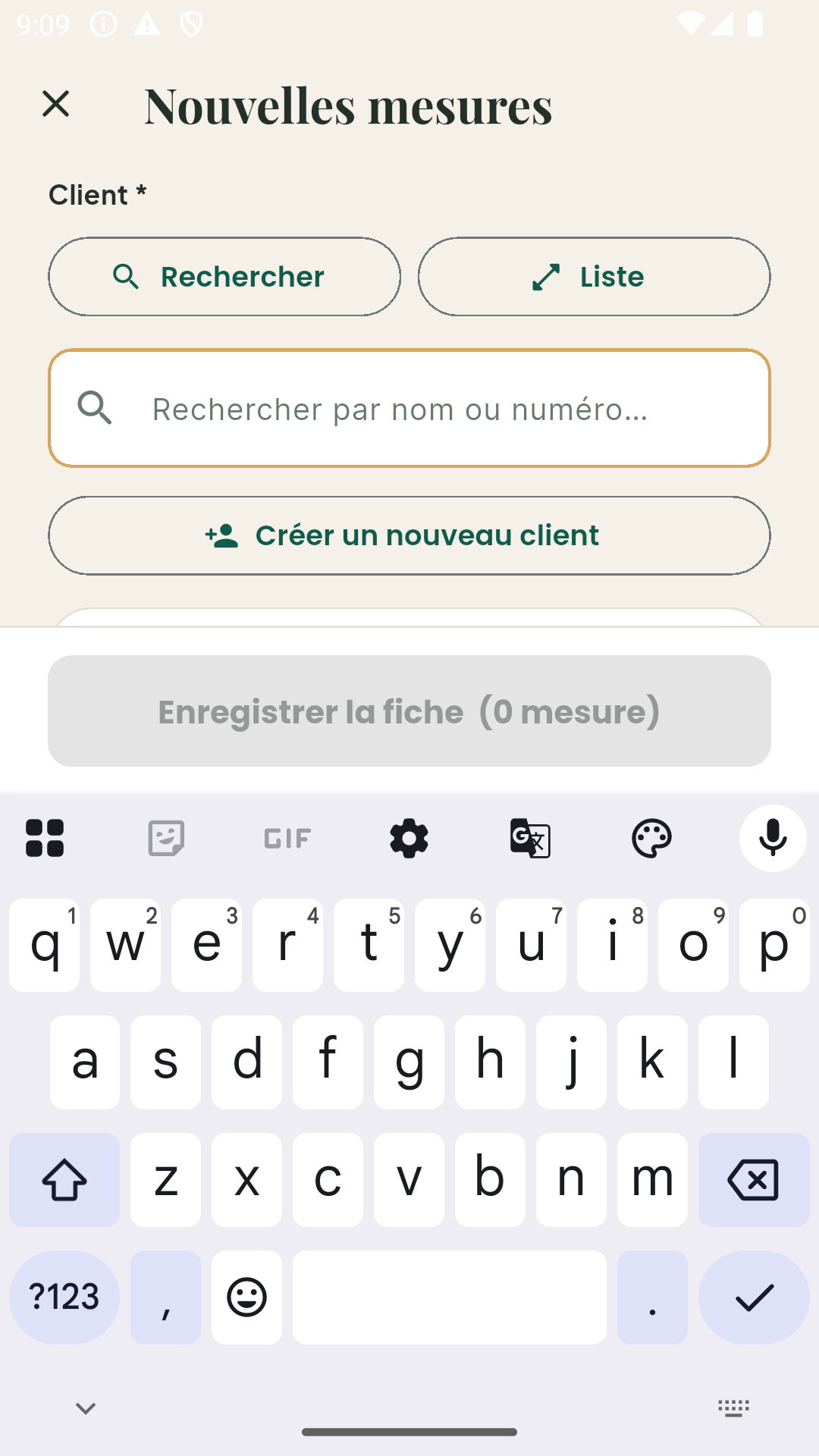
- From the dashboard, tap + then New measurement.
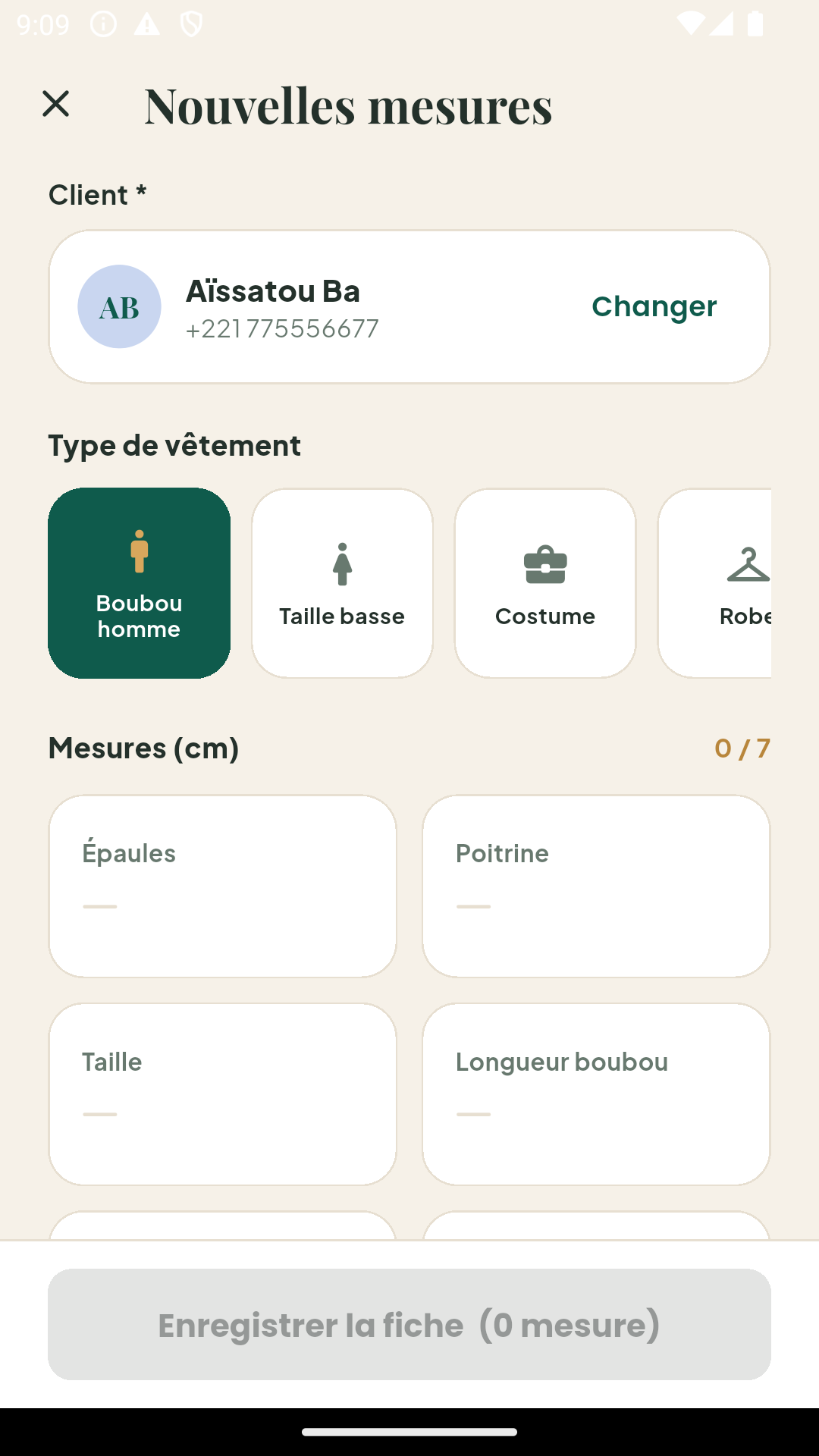
- Select the customer (or create them on the fly if they are new).
- Choose the garment type: boubou, suit, taille basse, dress… Each type shows its own measurement fields — you only enter what matters.
- Enter the measurements in centimeters, field by field.
- Add a note if needed (customer preferences, fabric, finishing details).
- Save: the sheet is linked to the customer and dated.
Garment types
Garment types define the fields of each sheet. Your workshop can:
- use the types provided by Kayñiawlu (common Senegalese models);
- create its own types with custom fields, from the back office (Garment types menu) — with an illustration image if you like;
- adjust the fields while measuring if a customer asks for an unusual detail.
A saved sheet never changes
Each sheet keeps a frozen copy of the fields and values at the time of entry. If you later modify a garment type, older sheets stay accurate: what was measured stays what was measured.
Reusing measurements
For a new order from an existing customer, two options:
- attach an existing sheet to the order if the measurements are recent;
- create a new sheet (recommended if the last one is several months old).
Good to know
- Taking measurements works offline: everything syncs when the network is back.
- On the web back office, measurement sheets are viewable; creation happens on mobile, close to the customer.