Topptoo sama commande yi
Li ngay def : xam saa su nekk fu commande bu nekk tollu, kan moo fey lan, ak lan ngay yóbbu ci ayubés bii.
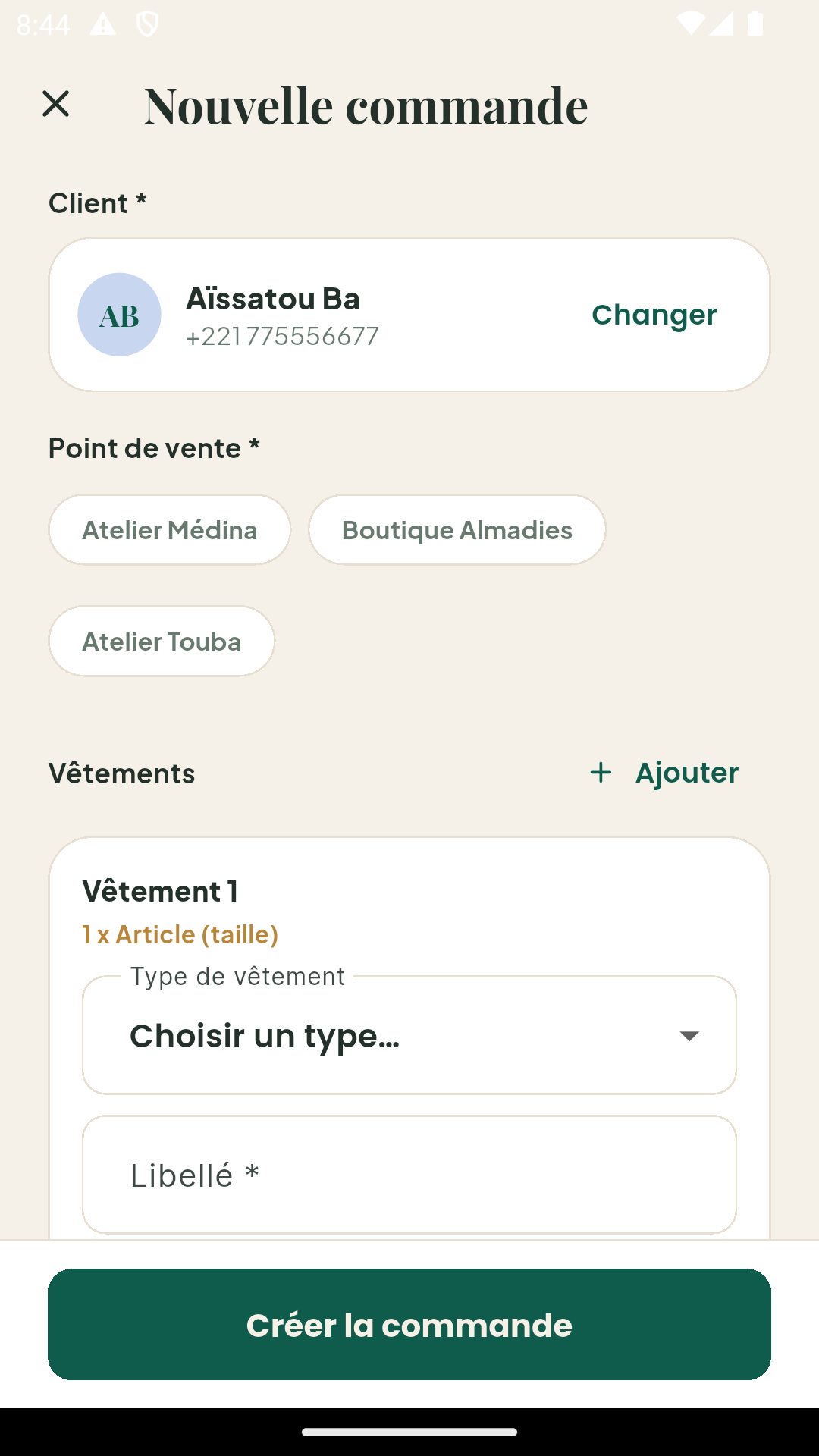
Sos benn commande (ci mobile)
- Ci tableau de bord bi, tappal + te tappal Commande bu bees.
- Tànnal client bi.
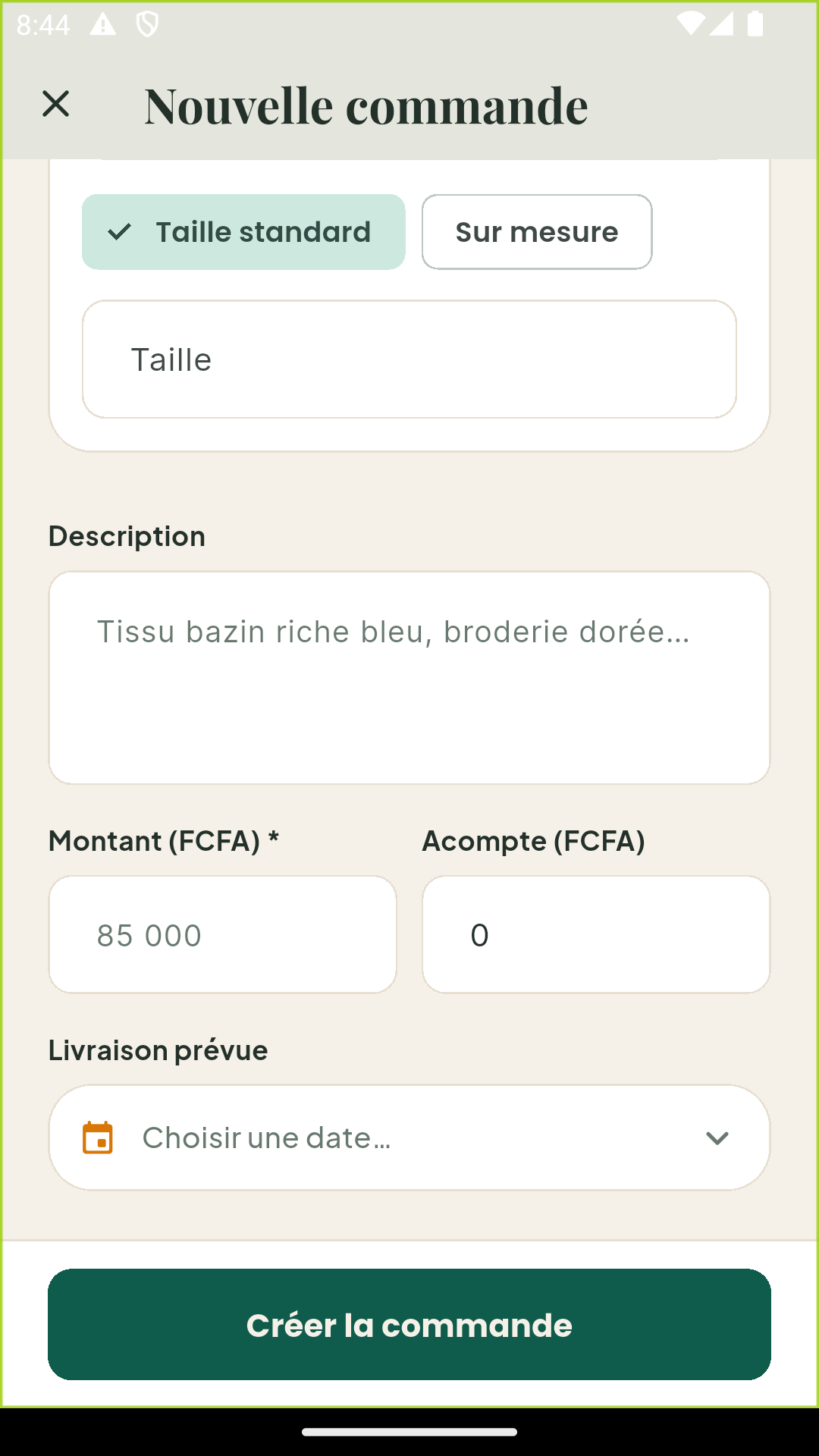
- Waxal modèle bi (misaal : « Costume 3 pièces », « Grand boubou brodé ») te takkal benn fiche mesure boo amee benn.
- Bindal montant bi yépp ak acompte bi ñu fey (ci FCFA).
- Tànnal date livraison bi — moom mooy taal rappel automatique yi.
- Enregistreel : commande bi dafay am référence bu ko moom rekk
(misaal :
KLM-0237).
Statut yi ci benn commande
| Statut | Li muy tekki |
|---|---|
| En attente | Commande bind nañu ko, production tàmbaliwul |
| En cours | Ci production la (dagg, ñaw, finition) |
| Essayage | Ci essayage la walla muy xaar essayage |
| Terminée | Paré na, muy xaar livraison |
| Livrée | Jox nañu ko client bi, reste bi fey nañu ko |
| Annulée | Commande bi bàyyi nañu ko |
Soppi statut bi
- Ci mobile : ubbil commande bi, tappal statut bi te tànnal bu bees bi. Mën nga ci yokk it benn acompte bu bees.
- Ci backoffice bi : ci liste commande yi, menu Actions → Soppi statut.
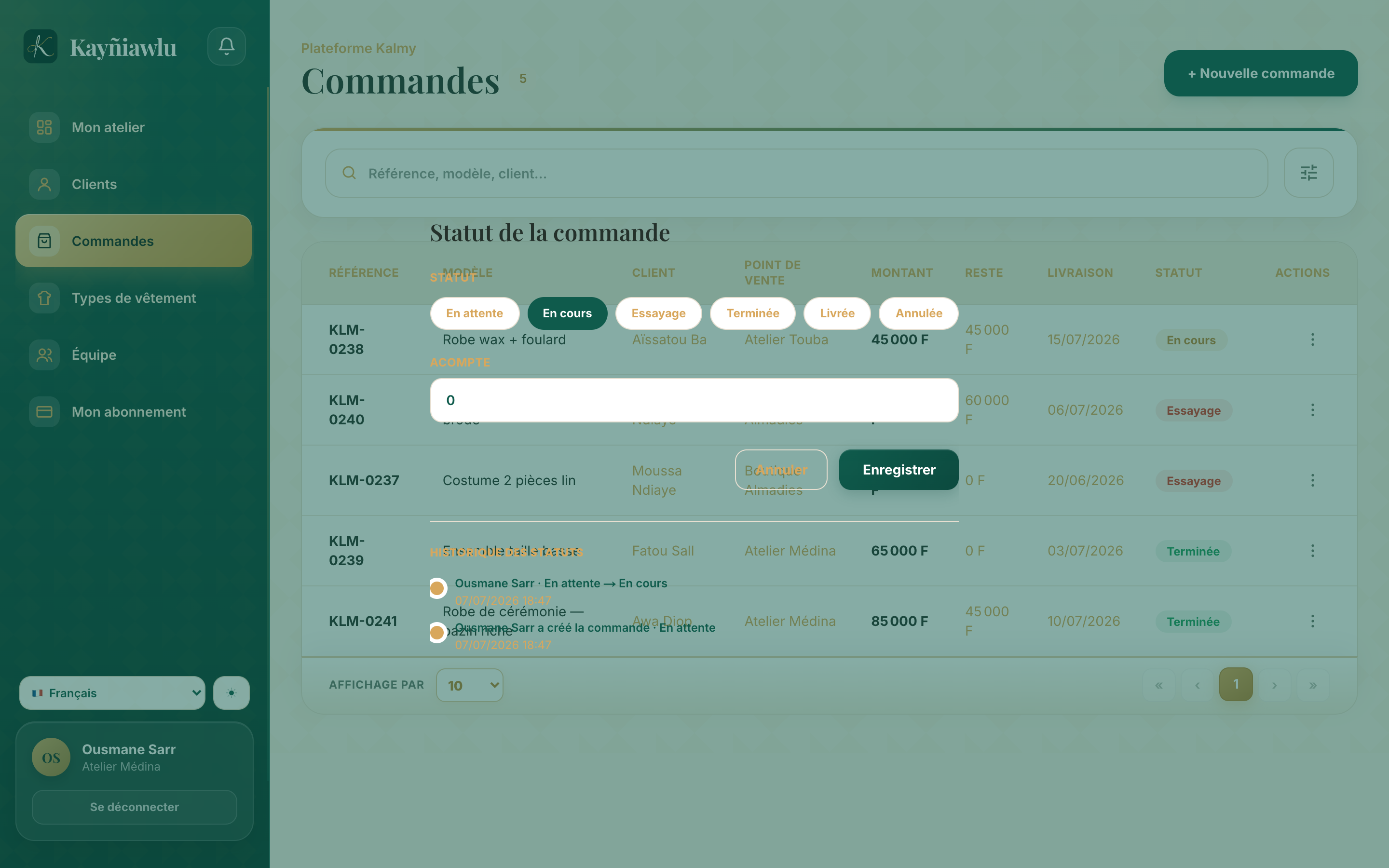
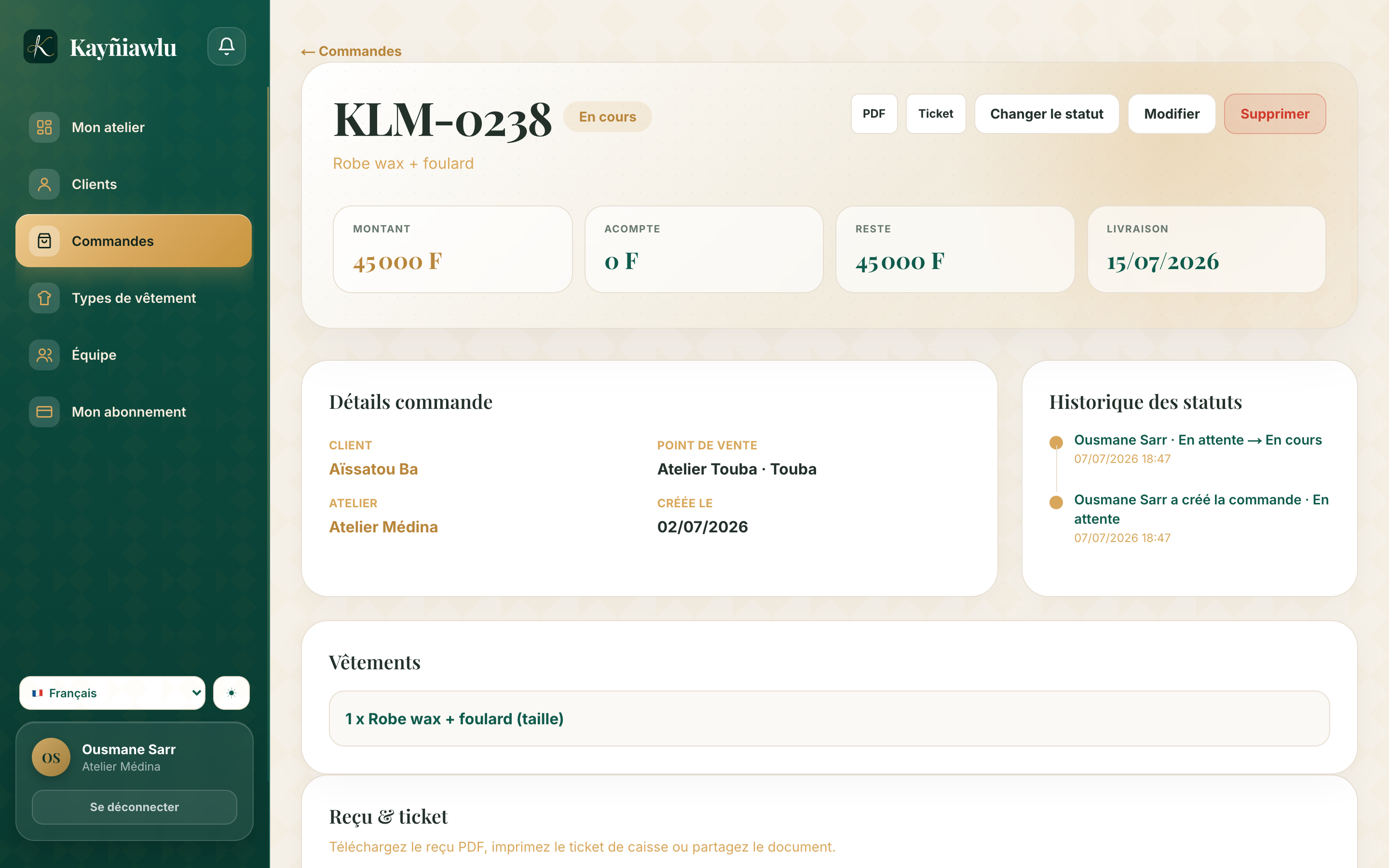
Soppi bu nekk am na date : fiche commande bi dafay wone chronologie bi yépp.
Topptoo xaalis bi
Commande bu nekk dafay wone montant bi yépp, acompte bi ñu fey ak li des. Tableau de bord bi dafay boole montant yi ngir am gis-gis bu yaatu.
Defar benn reçu
Ci fiche benn commande, mën nga defar benn reçu PDF ngir jox client bi (WhatsApp, imprimer). Reçu bi am na référence bi, modèle bi, montant yi ak sa atelier.
Filtre ak seet
Liste commande yi mën nga ko filtre ci statut, période ak point de vente, te seet ci référence, client walla modèle.
Commande bu nekk takku na ci benn point de vente. Jëfandikukat yi dañuy gis rekk commande yi ci point de vente yi ñu leen jox — xoolal Équipe ak point de vente.